
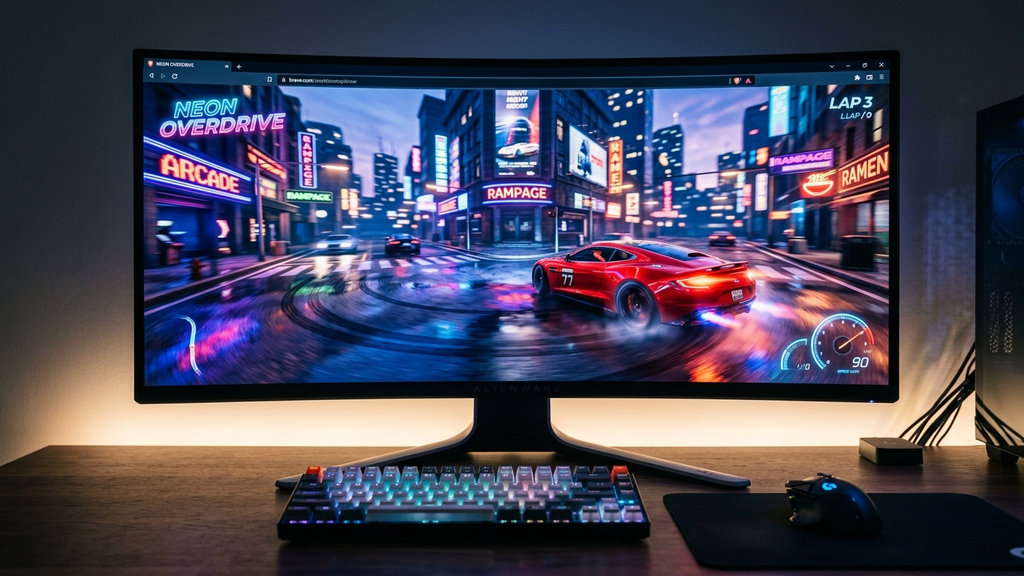
Finding the best Poki racing and driving games that run smoothly in WebGL proves that desktop-quality automotive action no longer requires fifty-gigabyte PC installs. With recent optimizations in browser WebGL shaders and hardware-accelerated canvas rendering, instant browser racers deliver blistering speed, accurate drift physics, and high-fidelity 3D tracks directly in your Chrome or Edge tab.
Whether you want to tear across neon-lit city skylines in high-performance supercars, tackle bone-crunching mountain stunt tracks, or enjoy chaotic arcade kart battles, Poki hosts a top-tier collection of zero-install driving titles that boot in under five seconds and maintain rock-solid 60-FPS frame rates.
Quick Picks: Best WebGL Driving & Racing Games on Poki
Here are the premier driving games on Poki delivering seamless WebGL performance and exhilarating physics:
- Drive Mad: The definitive physics-based stunt driving puzzle where managing torque and wheel bounce conquers crazy tracks.
- Burnout Drift (Online): Precision drifting simulator with custom tire smoke, dynamic camera angles, and deep tuning options.
- Madalin Stunt Cars 2 & 3: Huge open-world stunt sandplays packed with loops, massive halfpipes, and dozens of licensed supercars.
- Midnight Drive: Atmospheric nocturnal highway cruising with rain-slicked asphalt reflections and soothing synthwave beats.
- Smash Karts: Wild 3D multiplayer battle kart racing featuring weapon pickups, rocket launchers, and instantaneous match queues.
- Top Speed 3D: Urban street racing featuring realistic cockpit cameras, vehicle damage models, and customizable paint jobs.
- Cyber Cars Punk Racing: Futuristic anti-gravity cyberpunk racer with skyward jumps, neon speed pads, and intense speed boosts.
- Adventure Drivers: 2D side-scrolling beach buggy racing packed with coin collecting, mid-air flips, and nitro boosts.
- 3D Moto Simulator 2: Crisp motorcycle physics sandbox offering nimble street bikes, cruisers, and cross-country dirt bikes.
- Merge Cyber Racers: A relaxing idle vehicular merger that unlocks faster neon roadsters to lap futuristic speed circuits.
Which Driving Game Should You Burn Rubber In?
Depending on whether you want realistic tire grip, hilarious physics disasters, or casual multiplayer chaos, choose the right racer for your break.
For Hilarious Stunt Physics & Puzzle Navigation
Pick Drive Mad. Rather than focusing solely on top speed, Drive Mad requires delicate throttle finesse. Your monster truck’s oversized tires, flexible axles, and fragile chassis will fold or flip backwards if you gun the gas over triangular ramps. Beating its 100+ micro-stages requires equal parts timing and spatial problem solving.
For Pure Drift Mechanics & Vehicle Customization
Choose Burnout Drift. If your idea of driving heaven is swinging a rear-wheel-drive sports car sideways through tight mountain hairpins, Burnout Drift offers astonishingly sophisticated tire friction physics for a browser game. You can tweak suspension stiffness, gear ratios, and steering angles to nail multi-thousand-point drift chains.
For Casual Party Battles With Friends
Launch Smash Karts. Packing cartoon combat, rocket launchers, invincibility stars, and bowling ball bombs into snappy three-minute rounds, Smash Karts is the undisputed king of casual browser karting. Because it runs on lean WebGL architecture, it stays buttery smooth even when eight players detonate explosives simultaneously.
WebGL Browser Racing FAQ
Do I need a dedicated graphics card to play 3D WebGL racing games?
No. Modern integrated graphics processors (like Intel Iris Xe, AMD Radeon Vega, or Apple Silicon M-series chips) run WebGL driving games effortlessly. Even modern school Chromebooks with Intel Celeron chips handle games like Drive Mad and Smash Karts without stuttering.
Can I use an Xbox or PlayStation controller to steer?
Yes! Modern WebGL driving games on Poki automatically interface with the browser’s Gamepad API. Plugging in an Xbox, PlayStation, or generic USB controller enables smooth analog steering and progressive trigger throttle modulation.
Why do some 3D web games stutter when first loading a track?
Initial micro-stutters usually happen when the browser compiles 3D shader programs and unpacks car mesh geometry into your GPU’s VRAM. Once the track assets finish caching (typically 2 to 3 seconds), frame rates stabilize to a fluid 60 FPS.
Can I play these driving games in true full screen?
Yes. Every Poki driving game features a dedicated full-screen button in the corner of the game frame. Clicking it hides browser tabs and address bars, delivering an immersive console-style experience.
Rovin Games Picks
Looking for more adrenaline-pumping vehicular action and precision arcade timing? Check out our studio originals:
- Mad Wheels: Fast, physics-driven demolition combat featuring modular weapon builds and instant arena showdowns.
- Neon Chuck: High-tension arcade timing challenge wrapped in a striking retro-neon aesthetic.
Disclosure: Mad Wheels and Neon Chuck are developed by Rovin Games.
See Also
- Top 10 Trending Games on Poki to Play in Your Browser (September 2026)
- Best Web Racing Games for Quick Matches (2026)
- Gamepad-Friendly Web Arcade Games That Feel Like Steam Indie Titles
See More