
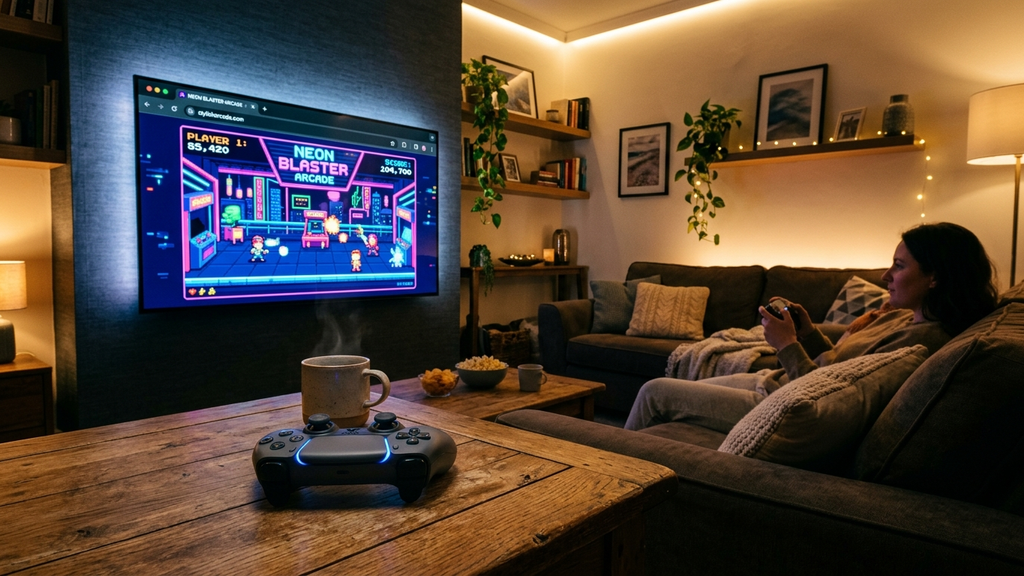
Finding browser games with seamless gamepad support for living room setups allows you to transform your couch and big-screen TV into an instant gaming console without paying hundreds of dollars for hardware or subscriptions. With modern smart TVs, HDMI-connected mini PCs, and casting devices running Chromium-based browsers, the web has quietly become a premier living room gaming platform.
Thanks to the universal W3C Gamepad API and low-latency WebGL pipelines, pairing a standard Bluetooth Xbox, PlayStation, or generic gamepad lets you navigate menus, drift around corners, and battle bosses with authentic console-grade physical feedback. There are no discs to swap, no multi-hour system updates, and no storage limits to manage.
Quick Picks: Best Living Room Gamepad Browser Titles
Here are the top browser games optimized for big-screen TVs and comfortable sofa gamepad play:
- Madalin Stunt Cars 3: An open-world 3D stunt driving playground that looks breathtaking on large 4K living room screens.
- Celeste Classic (Pico-8 Web): Tight, millimeter-accurate mountain platforming that plays flawlessly on a traditional D-pad.
- Krunker.io: Fast-paced arena FPS with customizable controller sensitivity curves and vibrant full-screen modes.
- Vampire Survivors (Official Web Build): The addictive bullet-hell survival hit that feels tailor-made for twin-stick sofa sessions.
- Smash Karts: Action-packed 3D kart battles with full analog steering, trigger acceleration, and chaotic party weapon firing.
- Slipstream Web: A gorgeous retro-synthwave drift racer with split-second analog steering and nostalgic neon aesthetics.
- Rooftop Snipers: The hilarious two-button rooftop duel that delivers endless couch multiplayer laughs with a buddy.
- Isleward: A cooperative pixel MMO roguelite where exploring deep dungeons and casting spells feels natural on a controller.
- Slope WebGL: High-speed neon ball rolling where gentle analog stick nudges prevent catastrophic track drops.
- Dead Cells Web Demo: Fluid action-roguelite combat featuring fast dodge-rolls, sword combos, and responsive trigger commands.
Which Gamepad Browser Title Should You Boot on Your TV?
Depending on whether you are hosting game night with friends or winding down solo after dinner, select the perfect living room title.
For Solo Immersion on the Couch
Launch Madalin Stunt Cars 3 or Slipstream Web. On a large living room television, the broad vistas, dynamic lighting, and tire smoke effects of Madalin Stunt Cars create an expansive, relaxing playground. With analog trigger throttle control and thumbstick steering, exploring giant desert loops and airport ramps feels as natural as playing a dedicated retail racing game.
For Cooperative & Competitive Couch Multiplayer
Plug in two gamepads and fire up Rooftop Snipers or Smash Karts. Rooftop Snipers turns two controllers into an instant duel of erratic jumps and sniper recoils that will have everyone in the room cheering. Smash Karts delivers frantic party racing that kids and adults can pick up in seconds without complex button tutorials.
For Precision Action Without Input Lag
Boot Celeste Classic or Dead Cells Web. Because these titles rely on tightly compiled WebAssembly logic and 60-FPS canvas rendering, they avoid the floaty input lag that plagues poorly ported smart TV apps. Every jump, dash, and parry connects instantly with your controller button presses.
Living Room Gamepad Browser Gaming FAQ
How do I connect my gamepad to my smart TV or living room PC?
Put your Xbox Wireless Controller, DualSense, or Bluetooth gamepad into pairing mode, open your TV or PC’s Bluetooth settings menu, and select the controller. Once paired, launch your web browser, open the game URL, and press the A / Cross button to wake up the browser’s Gamepad API.
Can I play these games using the built-in browser on my LG or Samsung TV?
Yes! Modern LG webOS and Samsung Tizen smart TVs include native Chromium-based browsers that support Bluetooth gamepads and full-screen HTML5 execution. For the smoothest 60-FPS performance, connecting a lightweight mini PC, laptop, or Apple TV via HDMI is also an excellent option.
How do I hide the browser address bar for a true console experience?
Press F11 on your keyboard, or select the Full Screen icon usually located in the bottom-right corner of the web game frame. This removes all browser chrome, bookmarks bars, and tabs, filling your entire TV display.
Can I use multiple controllers for local multiplayer?
Yes. The W3C Gamepad API tracks multiple connected controllers independently (Gamepads 0, 1, 2, and 3). Supported local multiplayer titles will automatically assign each physical controller to a separate on-screen player.
Rovin Games Picks
Looking for responsive browser arcade games designed from the ground up for crisp physical control and instant play? Try these studio originals:
- Mad Wheels: Fast, physics-driven vehicle battles with customizeable weapons and explosive arena combat.
- Glass Rush: Precision reflex arcade action where every split second matters.
Disclosure: Mad Wheels and Glass Rush are developed by Rovin Games.
See Also
- Best Browser Games to Play on Your TV With an Xbox or PlayStation Controller
- Gamepad-Friendly Web Arcade Games That Feel Like Steam Indie Titles
- 2-Player Games on Poki You Can Play on a Single Keyboard
See More