
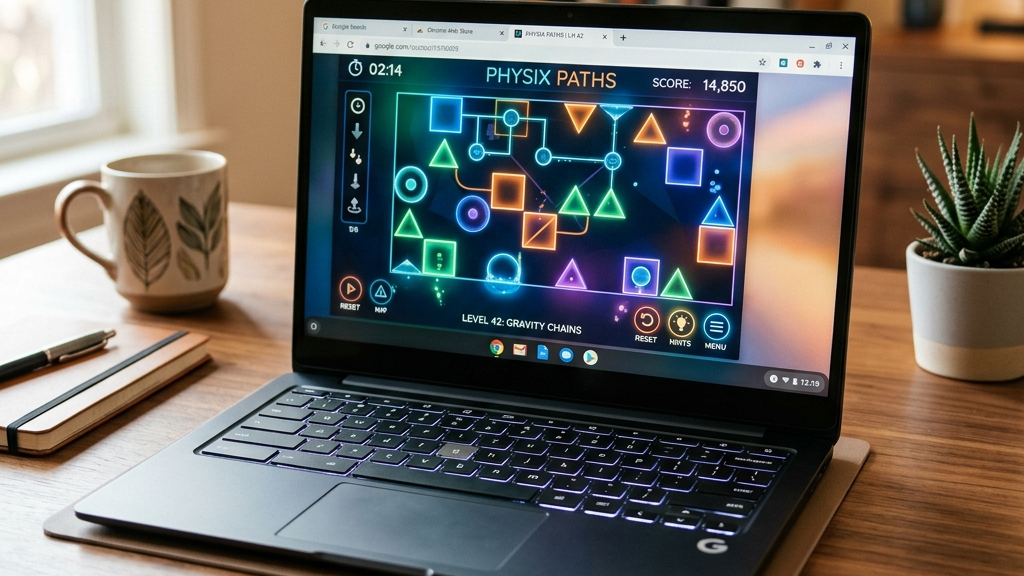
Google Chromebooks have become incredibly popular in schools, offices, and homes due to their lightweight design, long battery life, and affordability. However, because ChromeOS is designed around web-based tasks rather than heavy applications, traditional desktop gaming is not supported. You cannot install large gaming clients or heavy executable files on a Chromebook.
Fortunately, you do not need to install anything to enjoy high-quality gaming. Modern browser-based games run directly inside Chrome, using lightweight web engines that deliver smooth performance even on budget hardware.
Here are the best Chromebook-friendly browser games to play instantly.
Quick picks: Best Chromebook browser games
- Townscaper for a charming, relaxing city sandbox that renders beautifully in any web tab
- Hextris for a fast-paced, geometric matching puzzle with low processor demands and instant loading
- Slither.io for a fun, competitive snake arena game requiring only simple mouse or trackpad inputs
- Wordle for the iconic daily word challenge that works perfectly on any low-spec machine
- GeoGuessr for an educational exploration game that runs smoothly using standard Google Street View APIs
How browser games are optimized for lightweight laptops
To run smoothly on Chromebook processors without causing performance lag or draining your battery, modern web games use specific design parameters:
- Vector and Stylized Graphics: Relying on simple geometric shapes, flat colors, or vector illustrations drastically reduces the workload on your device’s integrated GPU.
- Optimized JavaScript Engines: Developers write highly optimized scripts to manage game logic, ensuring it executes rapidly without hogging active system memory (RAM).
- No Background Processes: Since the game runs entirely inside a single browser tab, closing the tab frees up all system resources instantly.
These techniques ensure you get a highly responsive gaming experience even on entry-level ChromeOS devices.
Top Chromebook-friendly web games
Townscaper
Townscaper is a beautiful building toy that runs perfectly on low-spec hardware. By clicking on a gridded sea, you build colorful seaside towns block by block. The game handles lighting and shadows automatically using your browser’s WebGL support. It is highly optimized, ensuring smooth, stutter-free performance on almost any Chromebook.
Hextris
Hextris is a fast-paced puzzle game where you rotate a hexagon to catch and match colored bars falling from the edges. It is incredibly lightweight, loading in less than a second and requiring almost zero system resources. It is an ideal game for quick study breaks or short gaming sessions between tasks.
Slither.io
Slither.io is a popular multiplayer snake game where you navigate an arena, eating food to grow larger while avoiding other player snakes. It features simple mouse or keyboard steering controls and simple graphics, ensuring high performance even on congested school or office Wi-Fi networks.
Wordle
The New York Times daily word game is perfectly suited for Chromebooks. It is text-based, uses static layouts, and features zero advertising or heavy multimedia assets. It is a clean, intellectual daily puzzle that you can complete in a few minutes without causing your device’s fans to run.
FAQ
Can I play these web games using Chromebook touch screens?
Yes. Many Chromebooks feature touch screens, and browser games like Hextris, Townscaper, and Slither.io have native touch layout support, allowing you to play using gestures instead of a mouse or keyboard.
Do I need to enable Linux mode to play browser games?
No. Unlike desktop games that require enabling the Chromebook’s built-in Linux subsystem to run executable files, browser games run natively in standard Chrome browser tabs.
Are these games safe for children’s school Chromebooks?
Yes. Browser games run in a secure, isolated sandbox within Google Chrome, meaning they cannot access system settings, download unauthorized files, or modify device configurations.
Rovin Games picks
If you want immediate access to clean, Chromebook-compatible puzzle games:
- Play Number Puzzle for a classic sliding tile game that runs smoothly in any ChromeOS browser tab
- Try Piece Master for spatial block-fitting puzzles designed to be lightweight and fast-loading
- Play Neon Chuck for momentum-based physics puzzles that operate perfectly on low-spec devices
Disclosure: The links above go to Rovin Games titles on rovingames.com.
See also
- Free Browser Games You Can Play Without Downloading
- Browser Games Are Back: What to Play Without Installing Anything
- Best Browser Puzzle Games for Short Breaks 2026
See More