
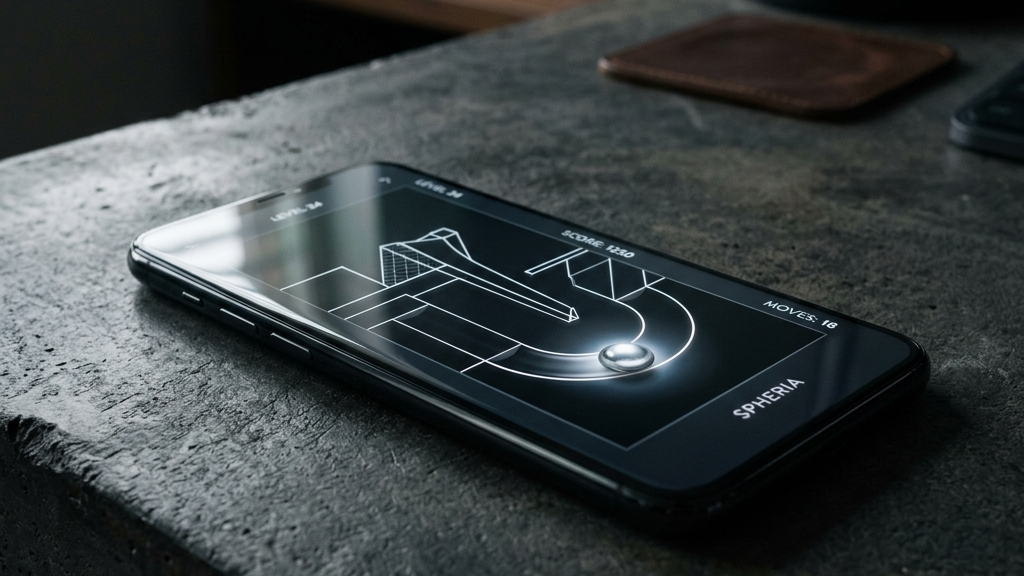
A major challenge in mobile game design is the lack of physical buttons. When developers try to replicate traditional console controllers on a flat glass screen using virtual joysticks and action buttons, it often feels clumsy and unresponsive. Your thumbs block your view of the screen, and you miss inputs because there is no tactile feedback.
The most successful mobile games embrace the limitations of the touch screen. Instead of cramming complex controller layouts onto the glass, they rely on simple, elegant inputs—like a single tap, a drag-and-release, or a swipe—making these simple controls feel incredibly satisfying.
Here are the best mobile games on Android and iOS that make simple controls feel great.
Quick picks: Best tactile touch screen games
- Duet for a highly responsive coordination game where simple left and right screen taps rotate your vessels
- Desert Golfing for a clean, drag-and-release physics game where aiming feels intuitive and highly consistent
- Downwell for an arcade action game that uses just three simple buttons (left, right, and jump) optimized for thumbs
- Alto’s Odyssey for a beautiful sandboarding game where a single tap jumps and holding performs flips
- Fruit Ninja for classic, swipe-based fruit-slicing action that perfectly mimics physical blade cuts
The art of “juice” in touch screen game design
To make a flat glass screen feel tactile and responsive, developers use a set of design polishing tricks often referred to as “juice”:
- Visual Squash and Stretch: When you tap or drag an object on the screen, it should stretch in the direction of movement and squash when it hits a surface, giving it a sense of weight.
- Instant Screen Shake and Particles: Hitting targets or landing jumps should trigger subtle screen shakes and particle bursts to emphasize the physical impact.
- Responsive Sound and Haptic Vibration: Accompanying taps with crisp audio clicks and short, subtle haptic vibrations makes virtual buttons feel physical.
These subtle additions turn simple inputs into highly satisfying tactile interactions.
Top games with satisfying touch controls
Duet
In Duet, you control two colored spheres rotating around a central ring, dodging falling obstacles. Tapping the left side of the screen rotates them counter-clockwise; tapping the right side rotates them clockwise. The controls are incredibly responsive, and the game features clean, flat-colored geometry, making coordination feel fluid and satisfying.
Desert Golfing
Desert Golfing features a drag-and-release mechanic. You touch the screen behind the ball, drag back to adjust angle and speed, and release to shoot. Because the drag line is highly responsive and there are no menus, aiming feels natural, letting you build a strong sense of physics and muscle memory over thousands of holes.
Alto’s Odyssey
Alto’s Odyssey uses a single-button control scheme. Tapping the screen makes Alto jump, and holding the tap rotates him in mid-air. Landing a flip boosts your speed and surrounds your character with a shield. The physics of sliding down slopes and launching off ramps are beautifully tuned, making movement feel smooth and satisfying.
Downwell
While Downwell features three buttons (Move Left, Move Right, and Jump/Shoot), they are spaced perfectly for comfort. Pressing the jump button while in mid-air fires your Gunboots downward, giving you a slight lift. The tight physics and immediate response make jumping, floating, and shooting feel incredibly natural.
FAQ
Why do virtual joysticks often feel bad?
Virtual joysticks lack physical boundaries. When you move your thumb, it is easy to slip off the active zone, causing your character to stop moving in critical moments.
What is haptic feedback?
Haptic feedback refers to the small vibration motors inside your smartphone. High-quality haptic engines can produce tiny, precise taps that mimic the feeling of pushing a physical button.
Do these games support gamepads?
Yes, games like Downwell and Alto’s Odyssey support physical Bluetooth gamepads, though their built-in touch controls are so well-tuned that a controller is not necessary.
Rovin Games picks
If you want to experience highly responsive, tactile touch controls in simple games:
- Play Neon Chuck for a satisfying drag-and-release physics game with precise bounce controls
- Try Glass Rush for rapid target-smashing action where simple taps deliver instant visual feedback
- Play Toy Runner to experience physics-driven vehicle driving with responsive touch acceleration and balance
Disclosure: The links above go to Rovin Games titles on rovingames.com.
See also
- One-Handed Mobile Games for Real-Life Breaks
- Mobile Games With Clean UI and Fast Restarts
- Offline Mobile Games for Android and iOS in 2026
See More