
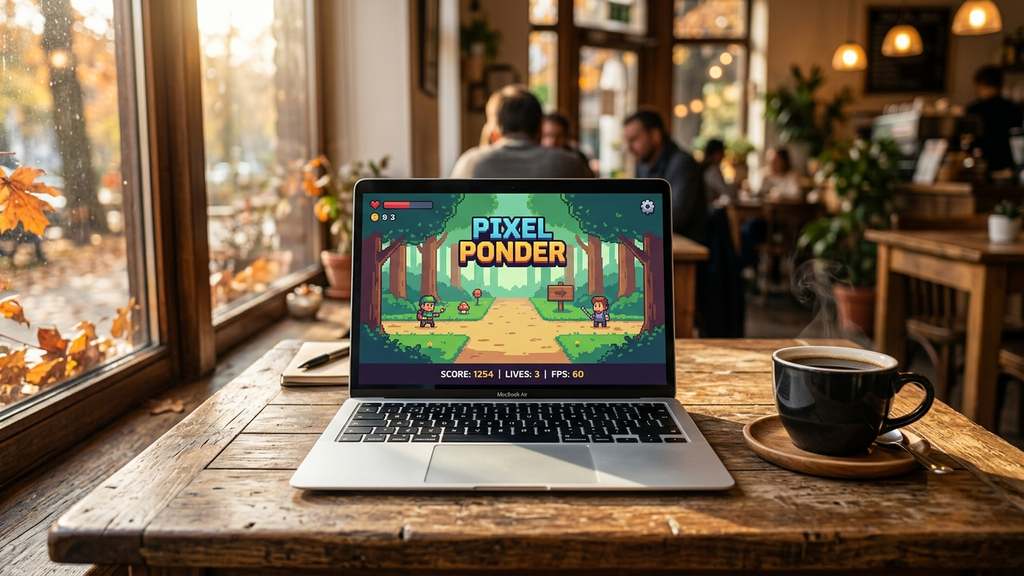
Finding zero-install web games for low-power laptops in October 2026 is the key to enjoying guilt-free gaming breaks without spinning up cooling fans or draining half your battery in twenty minutes. Whether you are using an older MacBook Air, a budget Windows ultrabook, or an educational Chromebook, heavy 3D titles choke modest integrated graphics chips.
Fortunately, brilliant independent developers continue building lightweight HTML5 canvas gems. These games bypass heavy game engine overhead, boot in two seconds flat, and execute cleanly within standard browser tabs while keeping your machine silent, cool, and battery-efficient.
Quick Picks: Best Zero-Install Web Games for Low-Power Devices
Here are the finest featherlight browser games guaranteed to run at a silky 60 FPS on low-power laptops:
- Townscaper Web: Peaceful, procedural coastal town building rendered in gorgeous pastel watercolors with near-zero CPU draw.
- Wordle Unlimited: Endless five-letter word deduction that runs completely silent in any open background tab.
- 2048: The timeless sliding arithmetic puzzle with an asset footprint measured in mere kilobytes.
- A Dark Room: Atmospheric text-based survival RPG that delivers hours of captivating mystery with negligible resource use.
- Gridland: Clever dual-phase match-3 strategy where daytime construction fuels nocturnal monster survival.
- Hextris: Fast-paced geometric puzzle that tests color matching around a rotating hexagon with crisp responsiveness.
- Little Alchemy 2: Drag-and-drop elemental puzzle where discovering new compounds saves progress locally in your browser.
- Slope: Responsive neon WebGL track running that maintains smooth 60 FPS without overheating integrated graphics.
- Sandspiel: Hypnotic falling-sand physics toy where elemental interactions cascade smoothly across your screen.
- Doodle Jump HTML5: Classic vertical platform hopping that responds instantaneously to keyboard arrows.
Which Low-Power Game Fits Your Free Moment?
Depending on your laptop’s current battery level and how quiet your environment needs to be, pick the ideal lightweight title.
For Dead-Silent Library or Classroom Play
Pick Wordle Unlimited or 2048. Both titles require zero sound, generate zero CPU heat, and accept gentle keyboard taps that won’t attract attention across a quiet room. Leaving them minimized in a background tab uses less than 20 MB of system RAM, ensuring your study notes and research documents never freeze.
For Deep Narrative Without Hardware Demands
Choose A Dark Room or Gridland. By relying on rich text descriptions, subtle audio chimes, and clean CSS UI layouts, A Dark Room builds more tension and narrative atmosphere than multi-gigabyte downloadable RPGs, all while consuming less battery power than reading an online news article.
For Fast Reflex Breaks Between Work Tasks
Load Slope or Hextris. When you only have three minutes before your next meeting, these high-energy arcade titles deliver instantaneous momentum. Because they use procedural vector lines rather than pre-rendered video cutscenes, you get instant action with zero buffering.
Low-Power Laptop Browser Gaming FAQ
Why do some browser games overheat laptops while others stay cool?
It comes down to rendering engines and asset pipelines. Games built inside heavy, unoptimized 3D WebGL wrappers constantly stress integrated graphics with dynamic lighting calculations and uncompressed audio buffers. In contrast, lean 2D HTML5 canvas games process minimal draw calls per frame, allowing your laptop’s CPU to idle comfortably.
Do I need to close background browser tabs before playing?
On laptops with 4 GB to 8 GB of RAM, closing memory-heavy background tabs (such as streaming video or complex web applications) frees up browser cache memory and ensures your game maintains a stutter-free 60 FPS.
Can I play these games on battery power without draining it quickly?
Yes. Lightweight canvas and text-based titles consume very little additional power compared to browsing standard web pages. A two-hour session of Townscaper or 2048 will barely make a dent in your battery life.
Will these games save my progress if I close the tab?
Yes! Modern HTML5 web games utilize browser localStorage or IndexedDB to silently store your game saves, high scores, and unlocked content directly on your laptop without requiring an account.
Rovin Games Picks
Looking for ultra-clean, instant-loading browser games built from scratch for maximum speed? Try our studio originals:
- Number Puzzle: Minimalist sliding number solver with smooth tile glide animations and near-zero CPU impact.
- Toy Runner: Crisp 3D lane-switching runner with fast restarts and zero install storage.
Disclosure: Number Puzzle and Toy Runner are developed by Rovin Games.
See Also
- Lightweight Web Games for School Chromebooks in September 2026
- Fast HTML5 Web Games You Can Launch in Under Two Seconds
- Lightweight Browser Games for Older Laptops
See More