
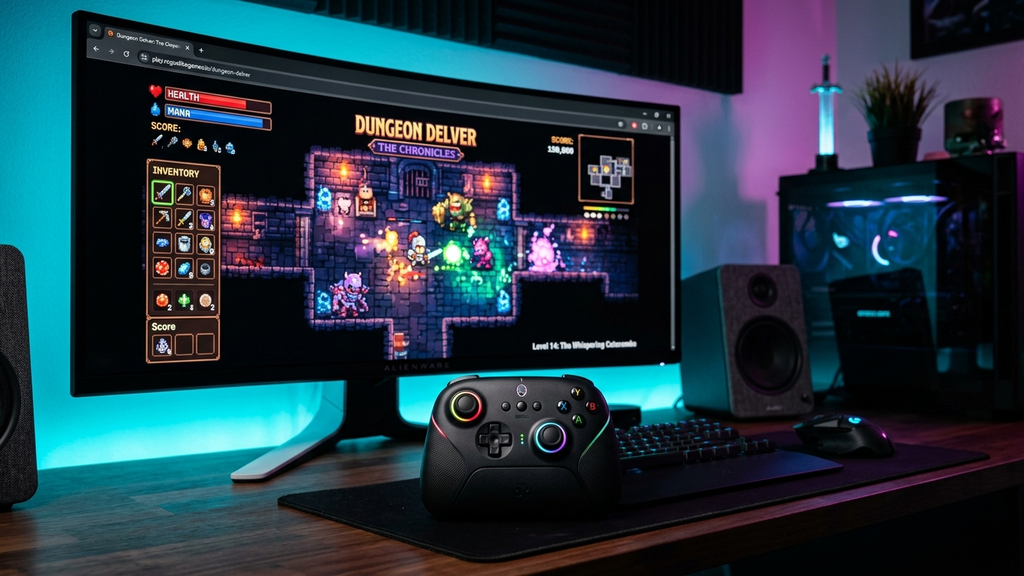
Finding gamepad-friendly web arcade games that feel like Steam indie titles reveals a quiet revolution in browser gaming technology. Thanks to modern WebGL rendering, WebAudio pipelines, and the universal W3C Gamepad API, independent developers are publishing browser games that rival paid downloadable titles on Steam.
Instead of wrestling with client launchers, multi-gigabyte patches, or hardware installation wizard screens, you can plug in any standard Xbox, PlayStation, or generic USB/Bluetooth gamepad, open a clean browser tab, and jump straight into buttery 60-FPS roguelikes, precision platformers, and twin-stick shooters.
Quick Picks: Steam-Quality Controller Web Games
Here are the standout gamepad-compatible browser games that capture true indie PC game polish:
- Celeste Classic (Pico-8 Web): Matt Thorson’s legendary mountain-climbing precision platformer running natively in-browser with flawless D-pad response.
- Vampire Survivors (Official Web Demo): The hypnotic gothic survival bullet hell that started a genre, playing effortlessly on analog sticks.
- Dead Cells (WebGL Demo): Fast-paced roguelite combat featuring roll-dodges, parries, and responsive controller ergonomics.
- Superhot Web (Prototype): Time moves only when you move in this iconic minimalist tactical FPS adapted for dual-stick gamepad play.
- Isleward: A cooperative roguelite retro MMO dungeon crawler featuring full controller mapping and charming pixel art.
- Madalin Stunt Cars 3: Expansive WebGL 3D driving sandbox with realistic suspension physics and analog trigger throttle modulation.
- Slipstream 2 (Web Build): Synthwave drift racing with sharp retro pixel scaling, tight cornering, and instant rumble feedback.
- CrossCode Web Demo: High-octane sci-fi action RPG featuring twin-stick puzzle aiming and lightning-fast dodge mechanics.
- Nuclear Throne (HTML5 Web Port): Vlambeer’s classic post-apocalyptic twin-stick rogue-lite running with raw arcade fury.
- Tanuki Sunset: Relaxing downhill longboarding through neon Japanese streets with analog steering and drifting.
Which Controller Game Matches Your Setup?
Depending on how much time you have and whether you prefer brutal action or calm exploration, choose a game that fits your mood.
For Precision Platforming & Mastery
Plug in your controller and launch Celeste Classic. Every mountain climb demands millimeter-accurate jump arcs and directional dashes. With an Xbox or PlayStation D-pad in hand, the web build delivers zero discernible input latency, making high-difficulty level clears feel deeply rewarding.
For Addictive “One More Run” Roguelike Loops
Choose Vampire Survivors Web or Nuclear Throne. Navigating dense waves of supernatural bats and skeletons using an analog thumbstick lets you lean back in your desk chair and slip into pure bullet-dodging trance states. Upgrading your whip and magic wands requires zero mouse intervention.
For Relaxed Vibes & Drifting
Load up Tanuki Sunset. Playing as a rad raccoon drifting down coastal highways on a longboard to chill city-pop beats feels therapeutic. Analog thumbstick steering gives you full control over drift angles as you collect floating tapes and dodge oncoming cars.
Gamepad Web Arcade FAQ
How do I connect a controller to my browser?
Simply connect an Xbox, PlayStation, or generic controller to your computer via USB cable or Bluetooth. Once connected, press any button on the gamepad while your browser tab is active. The browser’s Gamepad API will immediately recognize the device.
Do I need to install any driver software or browser extensions?
No. Modern browsers (Chrome, Edge, Firefox, Brave, Safari) have built-in native support for the W3C Gamepad API. No background mapper utilities, third-party software, or browser extensions are required.
What should I do if my browser doesn’t detect my controller?
First, ensure the controller is paired with your operating system. Then, click inside the active game window and tap the A / Cross button. Most web engines initialize gamepad polling only after the user interacts with the canvas to prevent background input conflicts.
Does gamepad rumble/vibration work in browser games?
Yes! Modern WebGL engines supporting the Gamepad Haptics API can trigger dual-motor vibration effects on compatible controllers, delivering physical feedback during crashes and heavy impacts.
Rovin Games Picks
If you appreciate tight vehicle physics and responsive arcade action, jump into our studio titles:
- Mad Wheels: Fast physics-based vehicle combat with customizable armor, wheels, and heavy weapons.
- Neon Chuck: Precision timing arcade challenge with radiant retro neon aesthetics.
Disclosure: Mad Wheels and Neon Chuck are developed by Rovin Games.
See Also
- Best Browser Games to Play on Your TV With an Xbox or PlayStation Controller
- 2-Player Games on Poki You Can Play on a Single Keyboard
- Web Games With Controller Support in 2026
See More