
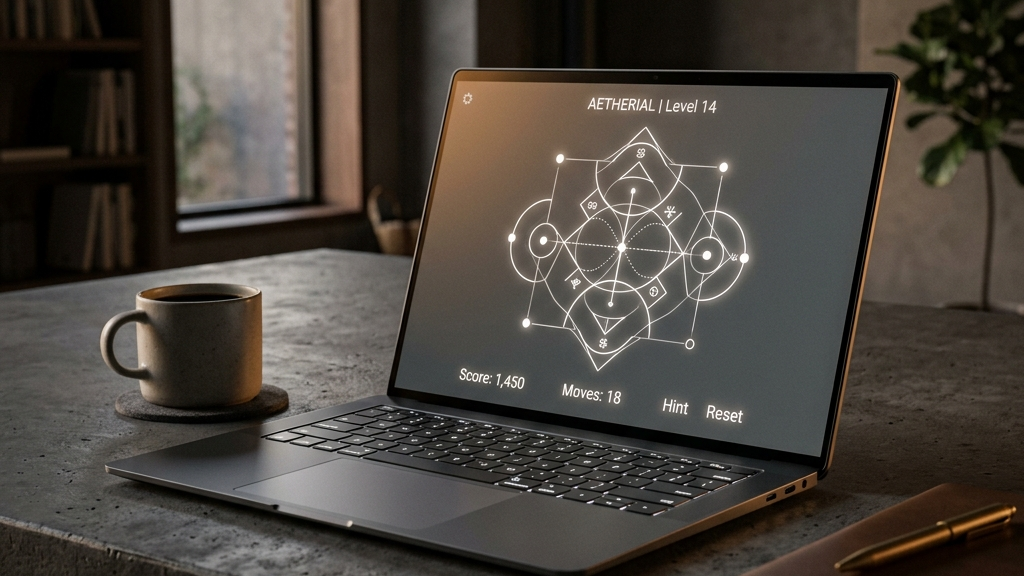
Not everyone owns a high-end gaming PC or a modern laptop with a dedicated graphics card. Millions of people use older laptops, budget school Chromebooks, or basic work computers. When you want to play a game during a break, running a demanding 3D title can cause your device’s fans to roar, your battery to drain, and your frame rates to drop.
Fortunately, some of the best browser games are designed to be extremely lightweight. By focusing on clean geometry, flat art styles, and highly optimized code, these titles offer engaging gameplay that runs smoothly at sixty frames per second on almost any hardware.
Here are the best lightweight browser games for older laptops.
Quick picks: Best lightweight browser games
- Hextris for a fast-paced color-matching puzzle that loads instantly and uses almost zero CPU power
- Wordle for the daily word-guessing game, perfectly optimized for any browser tab
- Townscaper (Demo) for a highly optimized, beautiful city-building toy with low system demands
- Sudoku.com for a clean, text-based grid puzzle that runs perfectly on any low-spec machine
- Chess.com (Play a Friend) for a classic board game that is highly optimized and requires very little system memory
How to optimize browser performance on older hardware
If you are playing web games on an older laptop, you can improve your frame rates and reduce lag by following three simple steps:
- Close Unused Tabs: Every open tab in Chrome or Safari consumes active RAM. Closing them frees up memory for the game engine.
- Enable Hardware Acceleration: Ensure your browser settings have “Use hardware acceleration when available” turned on. This lets your browser offload graphics tasks to your device’s integrated GPU.
- Turn Off Background Apps: Close heavy background applications (like Spotify or Photoshop) to give the browser priority over CPU resources.
These small adjustments can make a significant difference, turning a stuttering web app into a smooth, responsive game.
Top lightweight recommendations
Hextris
Hextris is a fast-paced puzzle game that challenges your reflexes without stressing your computer. You rotate a central hexagon, catching and matching colored bars falling from the screen edges. Because it uses flat vector graphics and basic geometry, it loads in a fraction of a second and runs flawlessly on computers that are over a decade old.
Wordle
The New York Times daily word game is a masterpiece of lightweight design. It is completely static, text-based, and free of heavy multimedia files. It requires no GPU rendering, making it an ideal choice for a quiet daily puzzle session on any low-spec Chromebook or older office laptop.
Sudoku.com
Sudoku is a timeless brain trainer. The browser version features a clean grid interface, simple notes functionality, and responsive key inputs. Because there are no moving assets or heavy scripts, the game operates instantly with zero processor load, protecting your laptop’s battery life.
Townscaper Web Demo
While Townscaper features beautiful 3D lighting, its rendering engine is remarkably lightweight. The developer optimized the building algorithm so that placing colorful blocks on the ocean water requires very little processing power. The result is a gorgeous, interactive toy that runs smoothly on most integrated graphics cards.
FAQ
Will these games run on my school Chromebook?
Yes. Chromebooks are optimized for web tasks, and these lightweight browser games run natively in standard Chrome tabs without needing Linux mode.
Do lightweight games have microtransactions?
Most of these featured titles are completely free or offer optional cosmetic purchases, avoiding intrusive monetization schemes or progression limits.
Can I play these games offline?
Some can. Games that use standard HTML5 service workers cache their core assets locally, allowing you to open the tab and play even without an active internet connection.
Rovin Games picks
If you want lightweight, high-performance web puzzle games:
- Play Number Puzzle for a classic sliding tile game that runs smoothly on any low-spec web browser
- Try Piece Master for spatial block-fitting puzzles designed to be fast-loading and processor-friendly
- Play Neon Chuck for momentum-based physics puzzles that operate perfectly on older laptops
Disclosure: The links above go to Rovin Games titles on rovingames.com.
See also
- Browser Games Are Back: What to Play Without Installing Anything
- Free Browser Games You Can Play Without Downloading
- Best Browser Puzzle Games for Short Breaks 2026
See More