
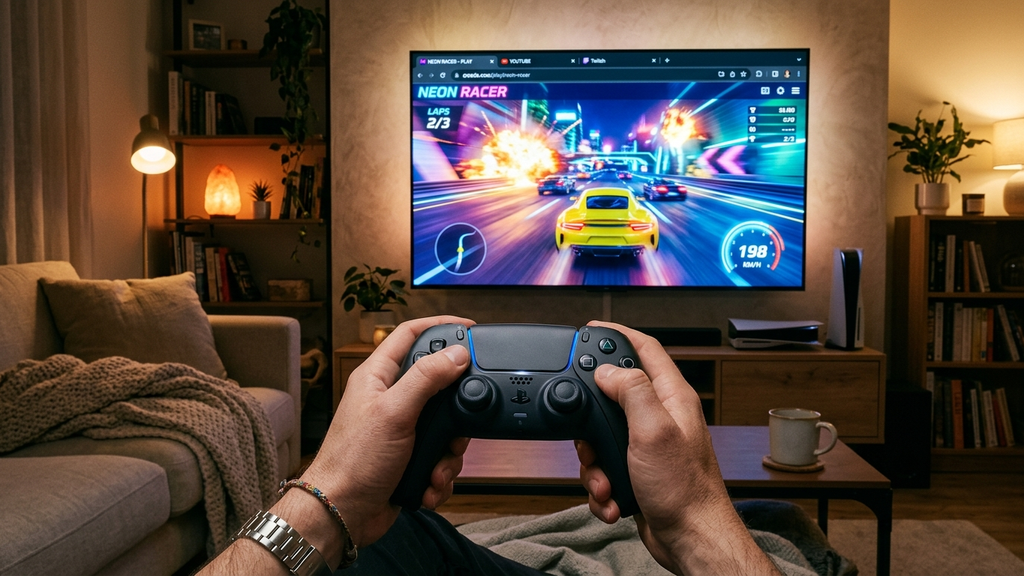
Discovering web games with controller vibration and analog stick support in 2026 will fundamentally change how you view browser entertainment. Gone are the days when web games were confined to stiff four-directional arrow keys and loud spacebar clicks.
Thanks to the W3C Gamepad API’s modern extensions—specifically the GamepadHapticActuator specification and progressive dual-motor rumble protocols—today’s premier browser games communicate physical weight, surface grip, and explosive impacts directly into your controller grips. When combined with full 360-degree analog stick input, browser games deliver console-grade physical presence with zero installation.
Quick Picks: Best Web Games With Full Gamepad Haptics
Here are ten outstanding browser games delivering authentic analog stick steering and tactile controller vibration:
- Slow Roads (WebGPU): Mesmerizing infinite procedural road trip driving simulator with buttery smooth analog steering and subtle engine rumble.
- Smash Karts: 3D multiplayer bumper kart combat with full gamepad trigger acceleration, power slides, and explosive rocket impact haptics.
- Krunker.io (Gamepad Mode): Fast-paced arena FPS with customizable stick deadzones, aim acceleration curves, and tactile weapon recoil pulses.
- Vectaria.io: 3D voxel sandbox game with twin-stick analog movement and mining tool haptic feedback.
- Drift Hunters Web: Authentic 3D drift tuning game with granular analog throttle modulation and tire-slip rumble effects.
- Hexagon Web (Open Port): Intense rotational twitch survival with pulsating rhythm vibration synchronized with electronic basslines.
- Celeste Classic (PICO-8 Web): Tight precision platforming with tactile dash feedback mapped to standard Xbox and PlayStation pads.
- Superhot Web Prototype: Tactical first-person bullet dodging where every weapon discharge vibrates with kinetic force.
- OvO Platformer (Controller Update): High-speed parkour platformer with analog ledge grabs, slide jumps, and wall-kick vibrations.
- Retro Bowl: Classic 16-bit arcade football where analog passing arcs and tackle impacts resonate in your controller grips.
How Modern Browser Haptics Work Under the Hood
How do web browsers communicate tactile vibrations to wireless console gamepads?
The W3C Gamepad API and Dual-Rumble Support
Modern web standards include the gamepad.vibrationActuator.playEffect() method. Developers can program dual-rumble effects specifying duration, weak-magnitude (high-frequency motor for subtle texture buzz), and strong-magnitude (low-frequency motor for heavy impacts and explosions).
Full 360-Degree Analog Stick Polling
Unlike keyboard buttons that are either 100% on or 100% off, analog sticks report floating-point values between -1.0 and 1.0. In driving games like Slow Roads and Drift Hunters, tilting the stick gently gives you micro-steering adjustments around sweeping mountain curves.
Zero Driver Setup Across All Major Controllers
Modern browsers automatically recognize standard controller protocols: Xbox Wireless Controllers (XInput), PlayStation DualSense / DualShock 4 (DirectInput/HID), Nintendo Switch Pro Controllers, and 8BitDo gamepads. Plug in via USB or connect over Bluetooth, press any button on the start screen, and you are ready.
Browser Gamepad & Haptics FAQ
Which browsers support controller vibration?
Google Chrome, Microsoft Edge, Opera, and Brave support the full Gamepad API vibration specification out of the box. Safari and Firefox support analog stick inputs, with vibration support expanding across updates.
Can I use a wireless Bluetooth controller, or do I need a cable?
Both work flawlessly. Standard Bluetooth connections support full analog axes and vibration commands with imperceptible sub-10ms input latency.
How do I enable vibration if my controller isn’t rumbling?
First, ensure vibration is enabled in your operating system settings. Then, tap any button on your controller after the game page loads; modern browsers require an initial user gesture before granting games permission to access connected controllers.
Does gamepad support work on Chromebooks or Linux?
Yes! The HTML5 Gamepad API operates through the underlying Linux kernel and ChromeOS input subsystems, recognizing gamepads automatically without external drivers.
Rovin Games Snappy Action Picks
Looking for responsive browser action with fast keyboard or gamepad adaptability? Try these Rovin Games originals:
- Neon Chuck: Test your dodging instincts across fast-moving synthwave laser courses with crisp directional response.
- Mad Wheels: Dominate vehicle combat arenas with explosive impacts and kinetic driving physics.
- Toy Runner: Race through vibrant micro-tracks with immediate, low-latency steering control.
Disclosure: Rovin Games crafts responsive, instant-access browser games engineered for snappy controls and immediate thrills.
See Also
- Browser Games With Seamless Gamepad Support for Living Room Setups
- Web Arcade Games With Snappy Controls and Instant Leaderboards
- Action Games on Poki That Feel Shockingly High-Fidelity
See More