
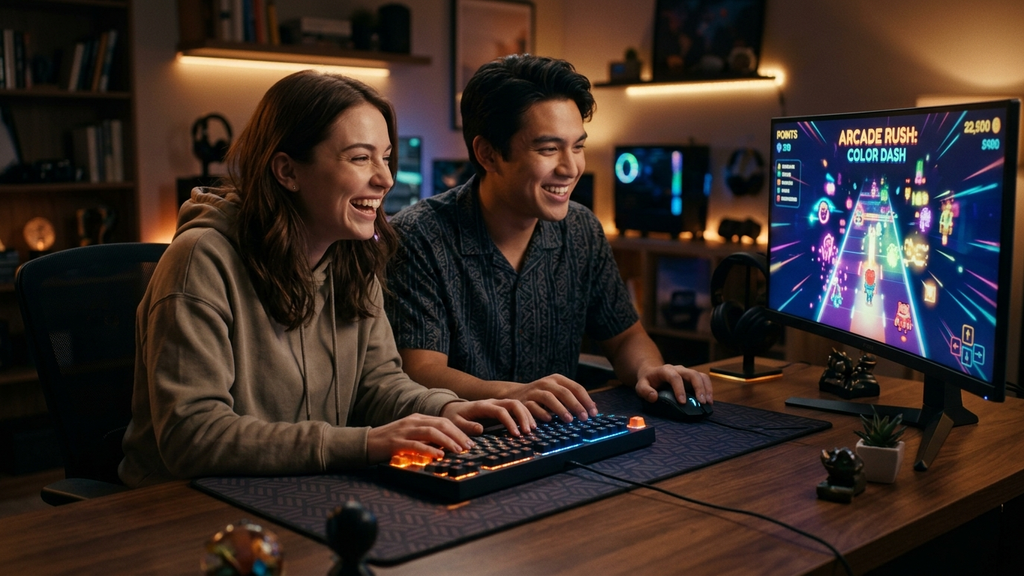
Finding great 2-player games on Poki you can play on a single keyboard is one of the easiest ways to turn an ordinary laptop into an instant arcade. You do not need extra gamepads, separate accounts, or multiple devices—just two people huddled over one keyboard battling for bragging rights or solving tricky puzzles together.
Poki hosts an impressive roster of local shared-screen titles specifically designed around split keyboard bindings. With Player 1 typically driving WASD and Player 2 commanding the Arrow Keys, these browser games load within seconds, eliminate setup friction, and deliver immediate competitive energy.
Quick Picks: Top Shared-Keyboard Games on Poki
Here are the standout 2-player games on Poki you can launch right now without plugging in a second controller:
- Basketball Legends 2020: Fast-paced, oversized-head 2v2 hoops packed with crazy slam dunks and defensive supers.
- Rooftop Snipers: A chaotic two-button physics shooter where jumping and firing erratically is half the strategy.
- House of Hazards: A hilarious party game where you race through everyday chores while your buddy triggers traps.
- Football Legends: Snappy arcade soccer with clutch volleys, trick tackles, and explosive super shots.
- Getaway Shootout: Ragdoll physics race to the extraction helicopter where every stumble creates pure comedy.
- Duo Survival: A cooperative post-apocalyptic platformer requiring clever teamwork and shared lever activation.
- Bad Ice-Cream: Classic retro maze action where you build and melt ice walls to grab fruit before time expires.
- Tag 2: Ultra-fast playground tag packed with bounce pads, teleporters, and narrow escapes.
- Two Button Bounce: Minimalist platform jumping that forces precise timing using just one key per player.
- Stickman Clash: Clean ragdoll brawling with fast rounds, flying kicks, and instant rematches.
Which Shared-Keyboard Game Should You Pick?
Shared keyboard play depends heavily on the mood of your gaming session and how cooperative or cutthroat you want things to get.
For Instant High-Stakes Rivalry
Pick Basketball Legends 2020 or Football Legends. Both titles capture the golden age of arcade sports with oversized heads, simplified controls, and clutch super moves. Player 1 maps comfortably to WASD with B and V for dash and shoot, while Player 2 commands the Arrow Keys with K and L. Matches last two minutes, making best-of-five showdowns completely irresistible.
For Pure Physics Hilarity
Go with Rooftop Snipers or House of Hazards. Rooftop Snipers uses just two buttons per player (jump and shoot), but the floating physics and recoil mechanics mean one mistimed hop flings you straight off the ledge. In House of Hazards, the goal is reaching the mailbox or making breakfast, while your rival operates falling lamps, runaway toasters, and rogue ceiling fans to sabotage your routine.
For Calmer Co-Op Problem Solving
Load up Duo Survival or Bad Ice-Cream. If you prefer collaborating rather than fighting over points, Duo Survival splits duties between two characters with complementary strengths—one handles heavy obstacles while the other navigates tight crawling spaces. Bad Ice-Cream offers old-school arcade charm where timing your freeze breath saves your partner from wandering critters.
Shared-Keyboard Poki Gaming FAQ
Can two people really play on one standard laptop keyboard without ghosting?
Yes, most of Poki’s curated two-player titles deliberately separate control schemes across non-conflicting key zones (WASD on the far left, Arrow Keys or Numpad on the far right). If your laptop membrane exhibits key rollover issues when three buttons are pressed simultaneously, picking simpler games like Rooftop Snipers or Two Button Bounce prevents any input jamming.
Do I need to create a Poki account to play two-player games?
No. All multiplayer browser games on Poki run natively in HTML5 without registrations, logins, or paywalls. Simply navigate to the game URL, select 2-Player mode from the start menu, and begin playing immediately.
What are the standard controls for 2-player browser games?
Player 1 almost universally uses W, A, S, D for movement with nearby keys like F, G, C, or V for actions. Player 2 uses the Up, Down, Left, Right Arrow Keys paired with K, L, or M for actions. Single-button duelers often compress this down to W for Player 1 and Up Arrow for Player 2.
Can we connect controllers if we don’t want to squeeze onto one keyboard?
Yes. Modern WebGL and HTML5 game engines support the standard Gamepad API. If you plug in two USB or Bluetooth controllers (such as Xbox, PlayStation, or generic gamepads), supported titles will automatically detect them as separate players.
Rovin Games Picks
Looking for more quick-loading indie games with clean mechanics and zero bloat? Check out these originals from our catalog:
- Mad Wheels: Fast, physics-driven vehicle battles with customizeable weapons and snappy one-click rematches.
- Glass Rush: High-tension reflex arcade action where every split-second reaction counts.
Disclosure: Mad Wheels and Glass Rush are developed by Rovin Games.
See Also
- Top 10 Trending Games on Poki to Play in Your Browser (September 2026)
- Best Browser Games to Play on Your TV With an Xbox or PlayStation Controller
- Best Multiplayer Browser Games to Play With Friends (No Download)
See More